9. Project Costing > 9.1. Project Costing: Master Data > 9.1.3. Projects > 9.1.3.3. Adding a Project. The Estimates tab
9.1.3.3.1. Adding a Project. The Estimates tab. The Independent Calculation of Costs and Revenues method
On the Estimates tab, you can view the project's budget created with the Independent Calculation of Costs and Revenues method.
The Estimates tab includes the following nested tab:
- Revenue
- Costs
- Estimates by Period. Appears if the Estimates by Period option was selected for the project estimates on the Project Costing > Project Documents > Project Estimates form.
The Revenue nested tab
On the Revenues tab, you can view the project's current revenue estimates with the level of details defined by selected analytical parameters: Item, Task, Income Item, Business Activity, and Department. The project's responsible employee can select any of these analytical parameters on the Default Values tab of the Quick Settings > Personal Settings form to meet this person's or company's requirements for analysis and reporting. The marks in the respective check boxes show which of the parameters were selected for this version of revenue estimates.
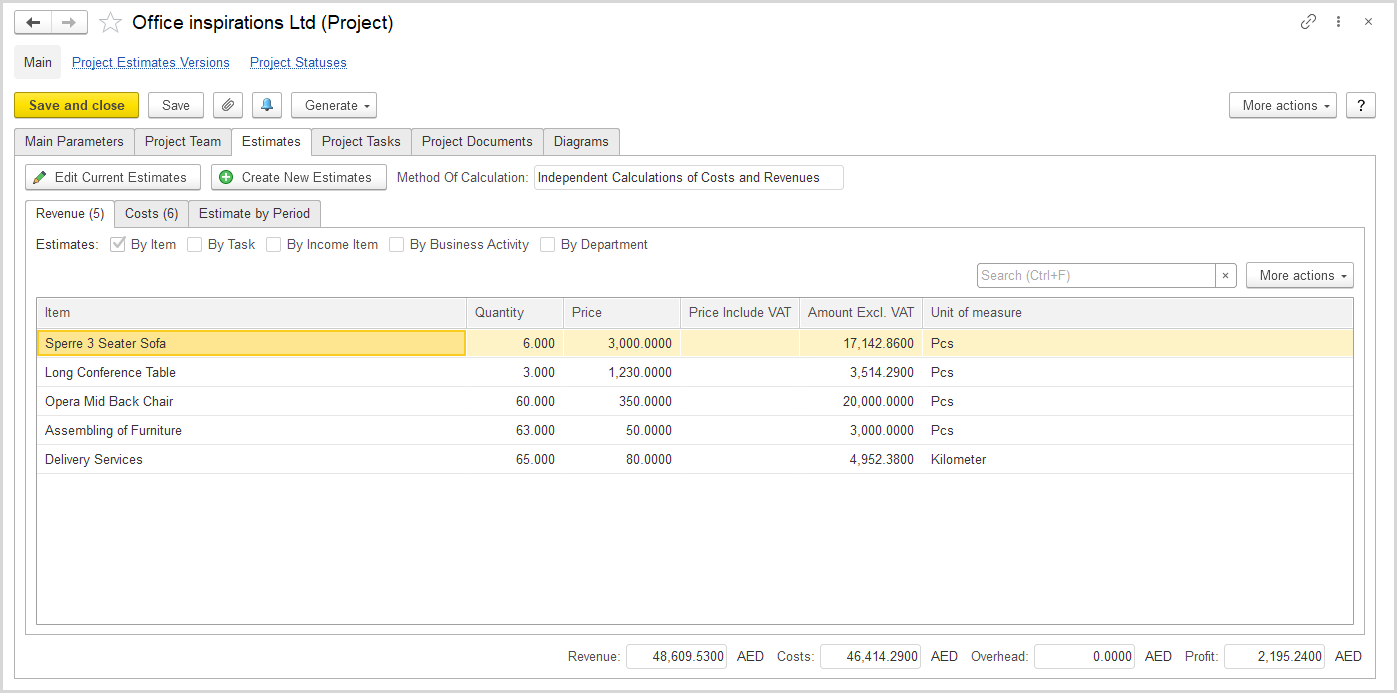
The Estimates > Revenue tab (the Independent Calculations of Costs and Revenues method)
For the set of analytical parameters (your personal settings, or personal settings of another user) you can view the revenue amounts excluding VAT.
The Costs nested tab
Depending on the project's requirements to analytics and reporting, you can view the project cost estimates for multiple combinations of analytical parameters. The marks in the respective check boxes show which of the parameters were selected for this version of cost estimates.
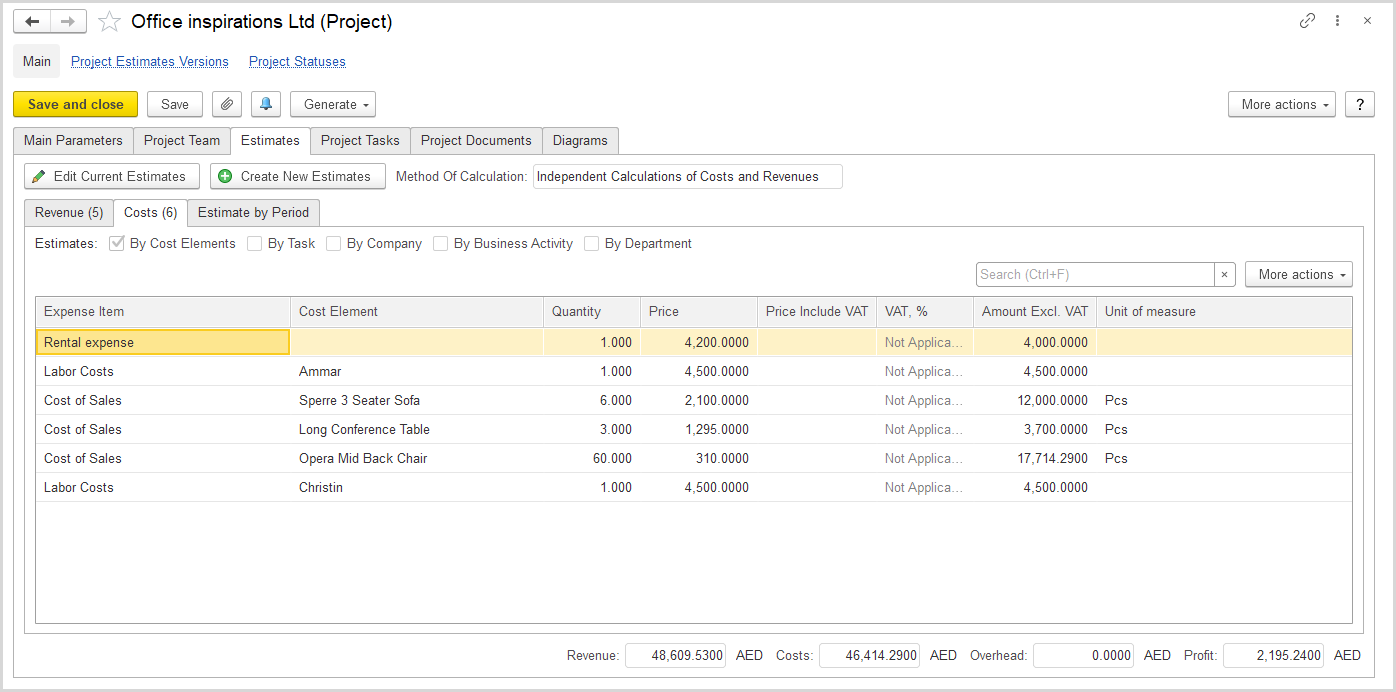
The Estimates > Costs tab (the Independent Calculations of Costs and Revenues method)
The Estimates by Period nested tab
This nested tab appears if the Estimates by Period option was selected for the project estimates on the Project Costing > Project Documents > Project Estimates form. The tab comprises the nested tabs for costs and revenues allocated to periods.
The Project Duration fields show the start and end dates of the project. The Planning Period field shows the time interval selected as the project's planning period.
The nested Estimates by Period tab comprises two more tabs: Revenues and Costs.
The Revenues tab shows the details of allocation of project estimated revenues to planned periods.
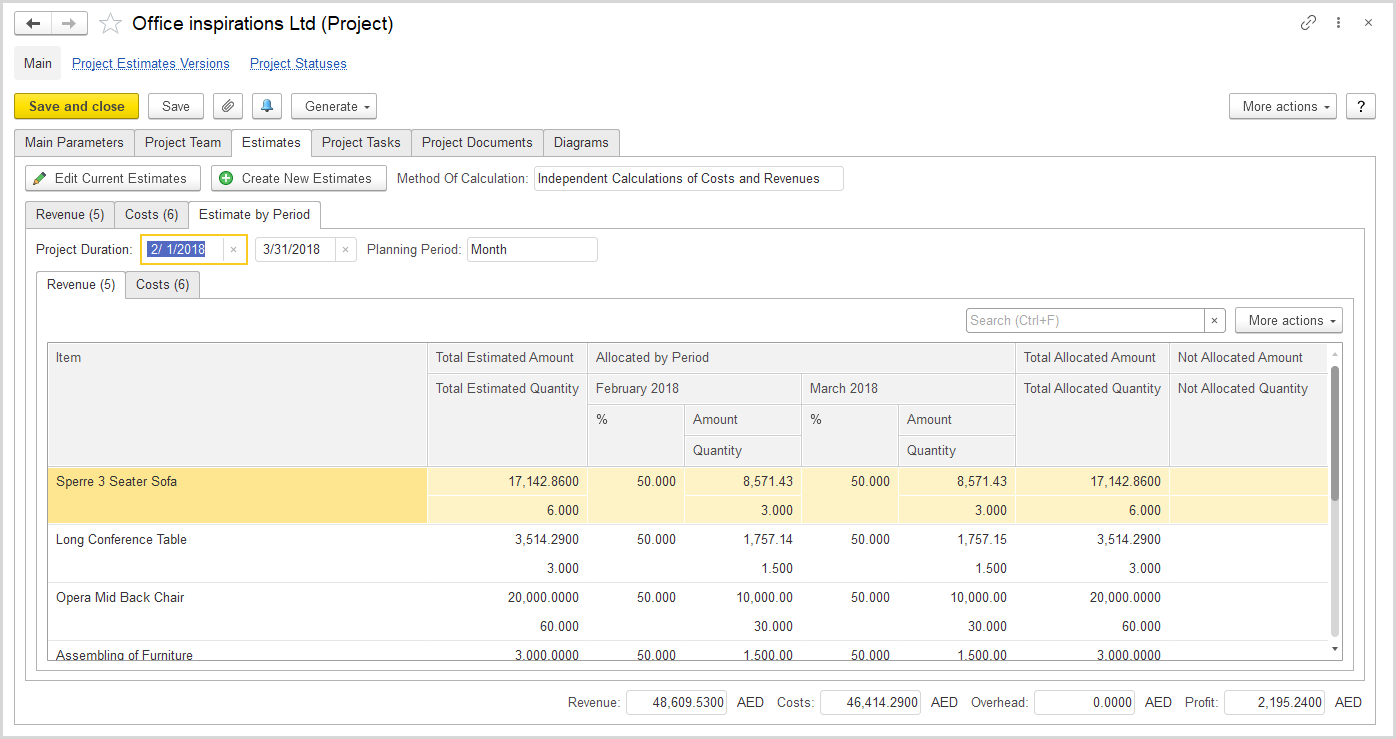
The Estimates > Estimates by Period > Revenues tab (the Independent Calculations of Costs and Revenues method)
The Costs tab shows the details of allocation of project estimated costs and expenses to planned periods.
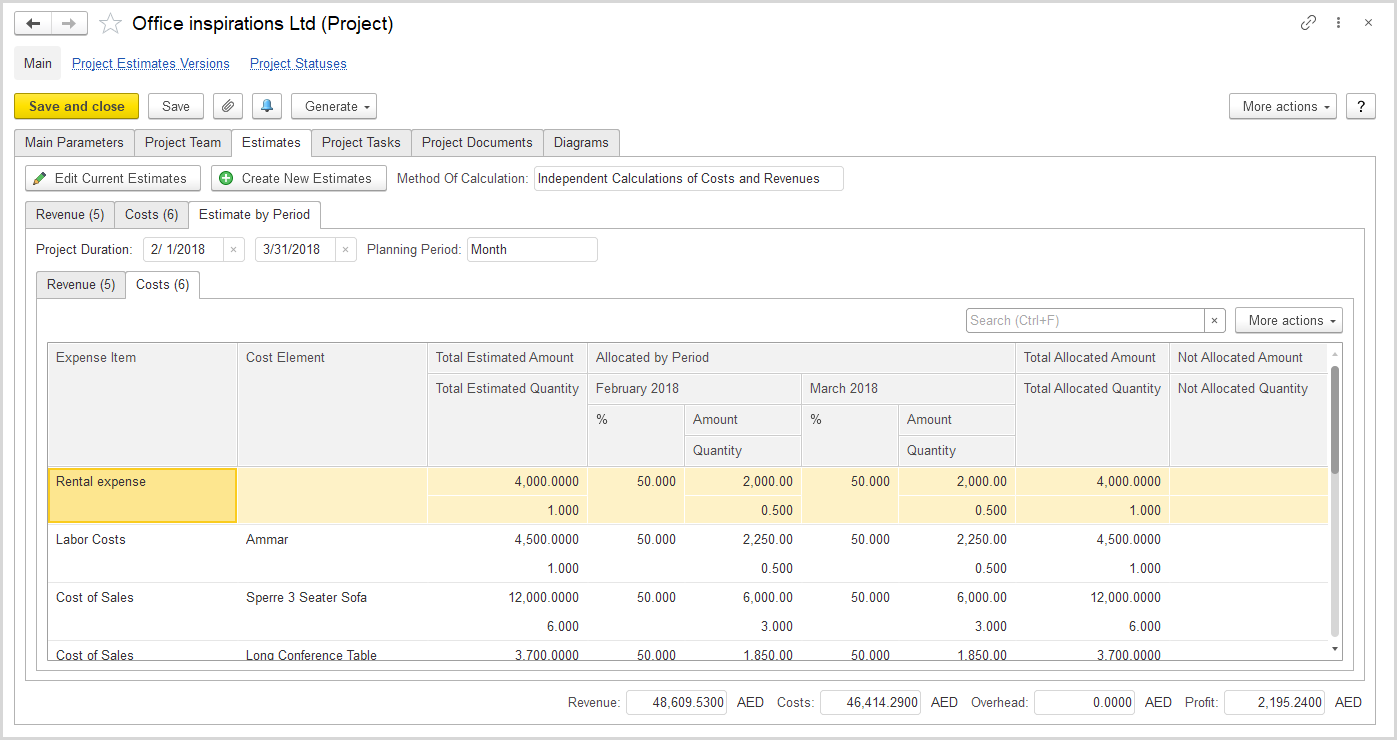
The Estimates > Estimates by Period > Costs tab (the Independent Calculations of Costs and Revenues method)