6. Money > 6.2. Bank Documents > 6.2.2. Bank Payments > 6.2.2.9. Bank Payments (Other)
6.2.2.9.4. Creating a Bank Payment. The Additional Information tab
You can provide additional information about payment on this tab.
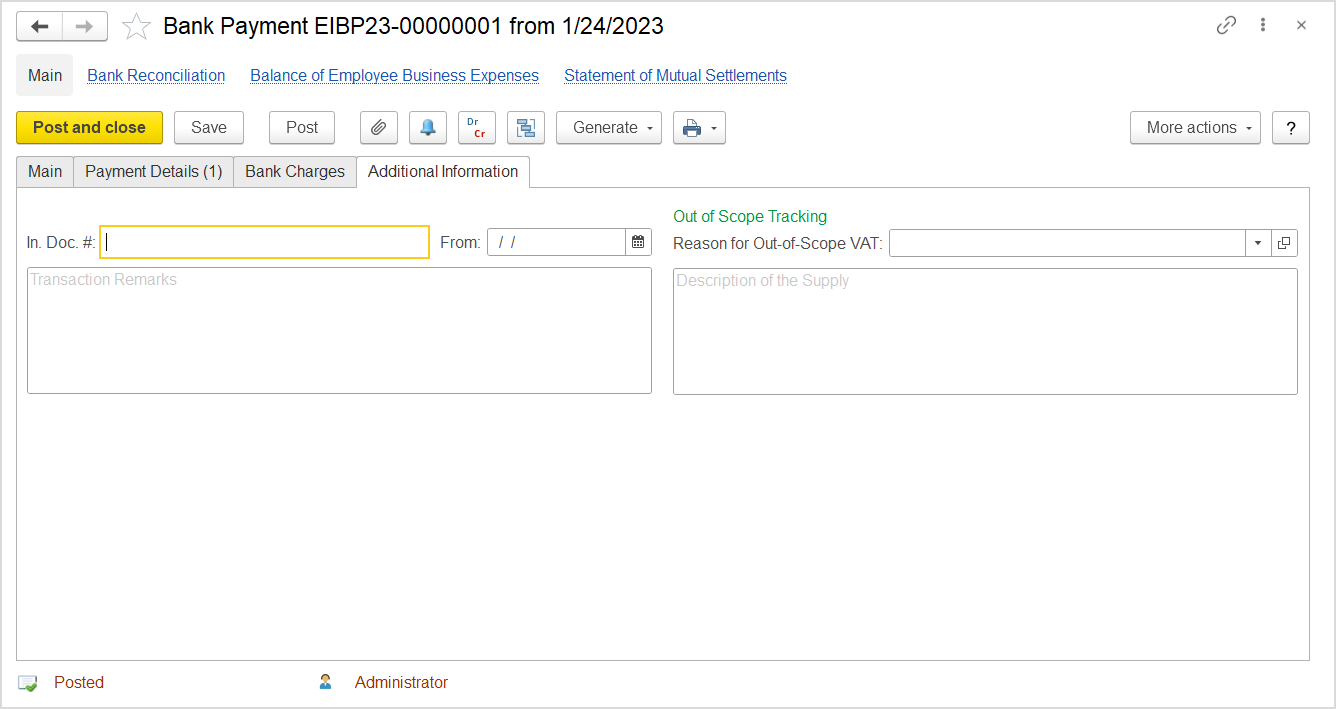
The "Bank Payment (create)" form. The Additional Information tab
Specify the number of the incoming document in the In. Doc # field and the date in the From field.
Additionally, in the Transaction Remarks field, specify any relevant details.
Out-of-Scope Tracking
This section appears on the tab if the Tracking of Out of Scope Purchases option selected on the Administration > Settings > Taxes form and if the Out of Scope taxation option is selected for the document on the Main tab.
In the Reason for Out of Scope VAT field, select a valid reason why this taxation option is applied.
In the Description of the Supply text box, provide more information about this supply.